
Draw the path on the ground; height, thickness, crenels and stone bond follow. The wall's maps (color, normal, roughness, AO, height, moss) come out of the same graph.
Public beta · open to everyone
Built once, tuned forever.
A procedural node editor that runs in the browser: geometry, attributes and wrangle, GPU textures and shaders. Every graph exposes its own controls and handles, then gets tuned from a link, no account needed.
Only TesselBee news, each with an unsubscribe link. We never sell your address.
Graphs 6
The graph
Nodes, wires, nothing baked
Each node is an operation; each wire carries geometry, an image, a volume or points to the next one. Put together they form a directed graph, hence the name. You never patch the result by hand: change a value upstream and the engine re-evaluates what depends on it, and nothing else.
- Groups and subgraphs to keep things tidy, repeat zones to iterate.
- Every node card shows its measured cook time.
- Mesh and textures come out of the same graph as the control panel.
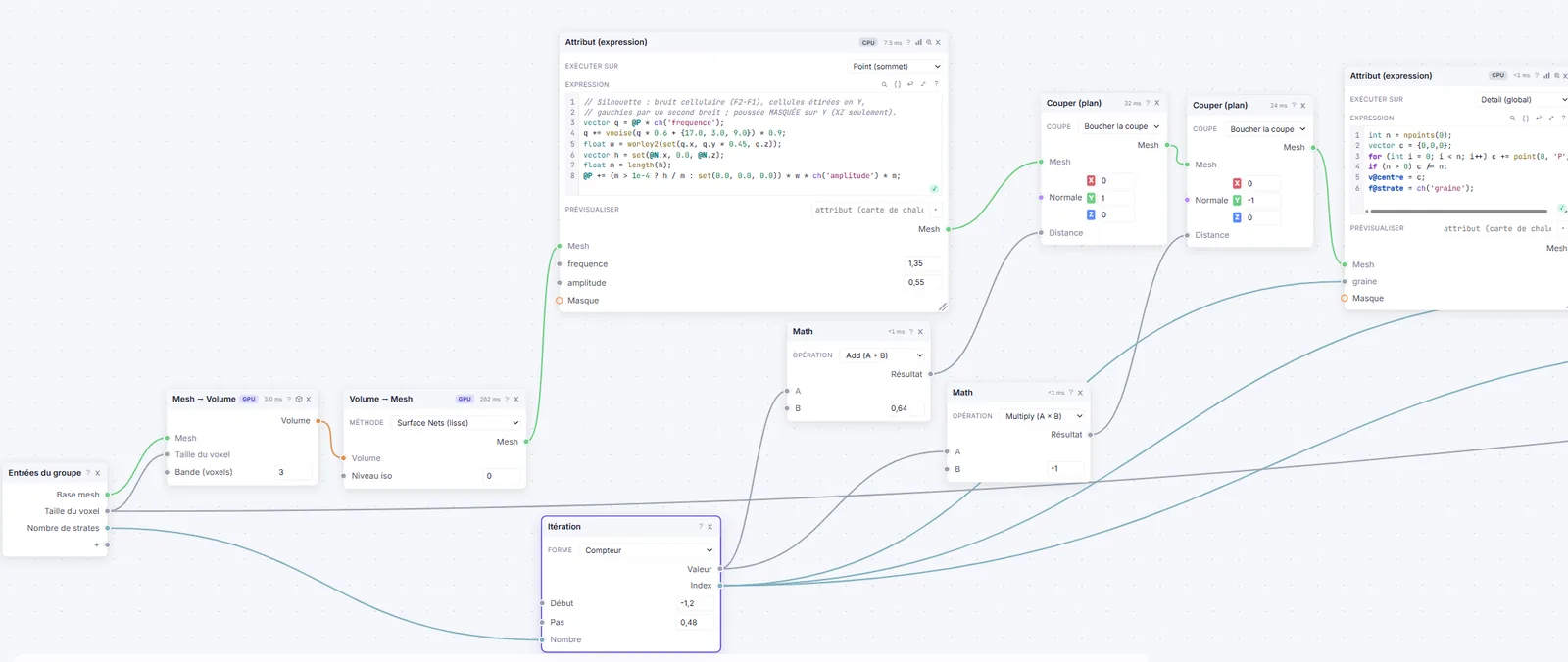
500+ nodes across 30 categories
The engine is written in Rust and compiled to WebAssembly; image, volume and expression work runs as WebGPU compute. A scene comes out bit-for-bit identical in the browser and in the native library. That native core is what the Unity package loads.
- Rust core → WebAssembly
- WebGPU compute
- 90 image nodes
- Bit-exact web ↔ native
- Manifold booleans
- USD · glTF · MaterialX export
- SDF volumes
- Voronoi fracture
Attributes & wrangle
Control down to the point
Typed attributes on all four domains (point, vertex, prim, detail), readable as a heat map at any time. When a node isn't enough, wrangle takes over: loops, functions, arrays, dicts, strings, cross-element lookups, dense matrices. The conventions are the ones you know (@P, @N, pscale, orient); whatever transpiles to WGSL runs on the GPU, the rest on the CPU reference path.
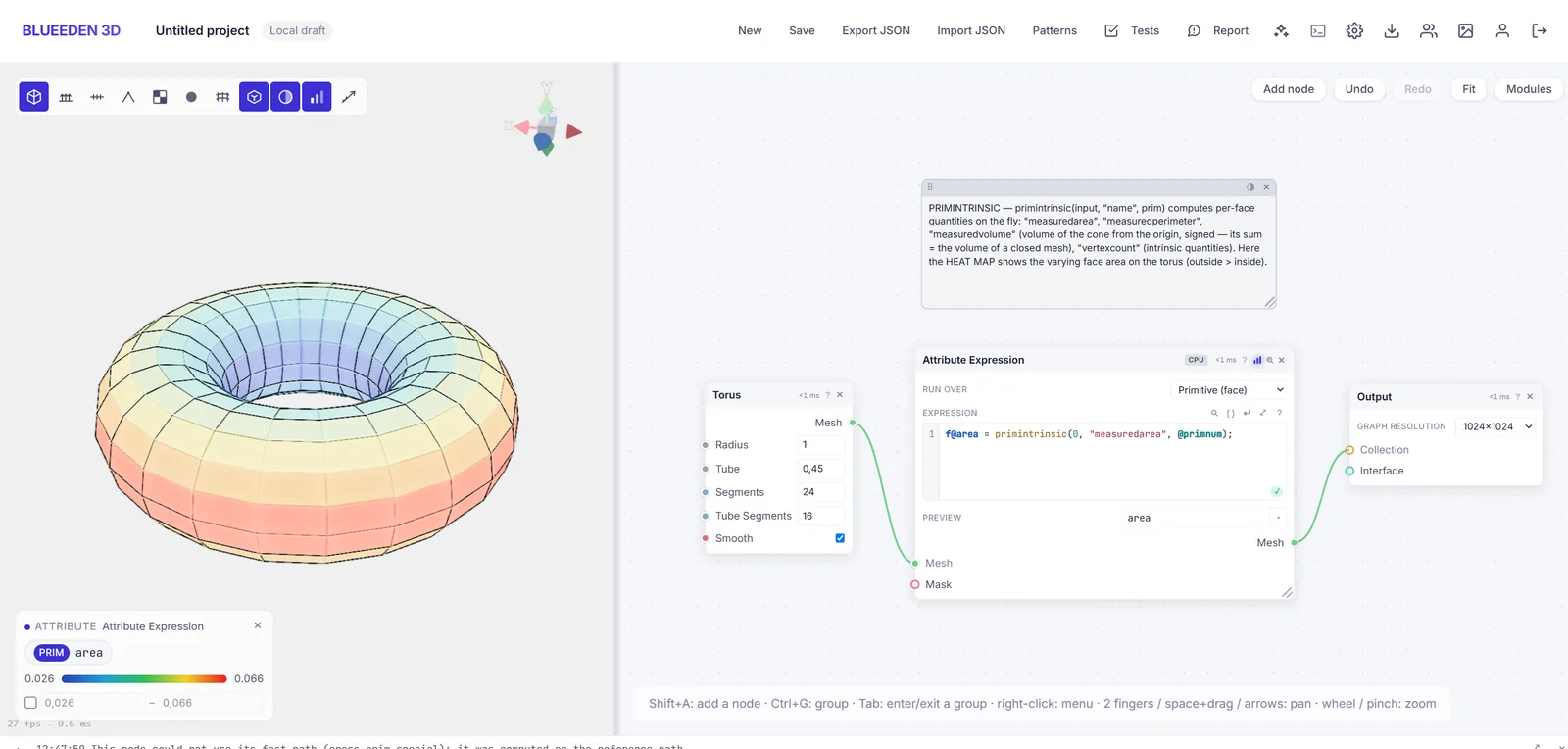
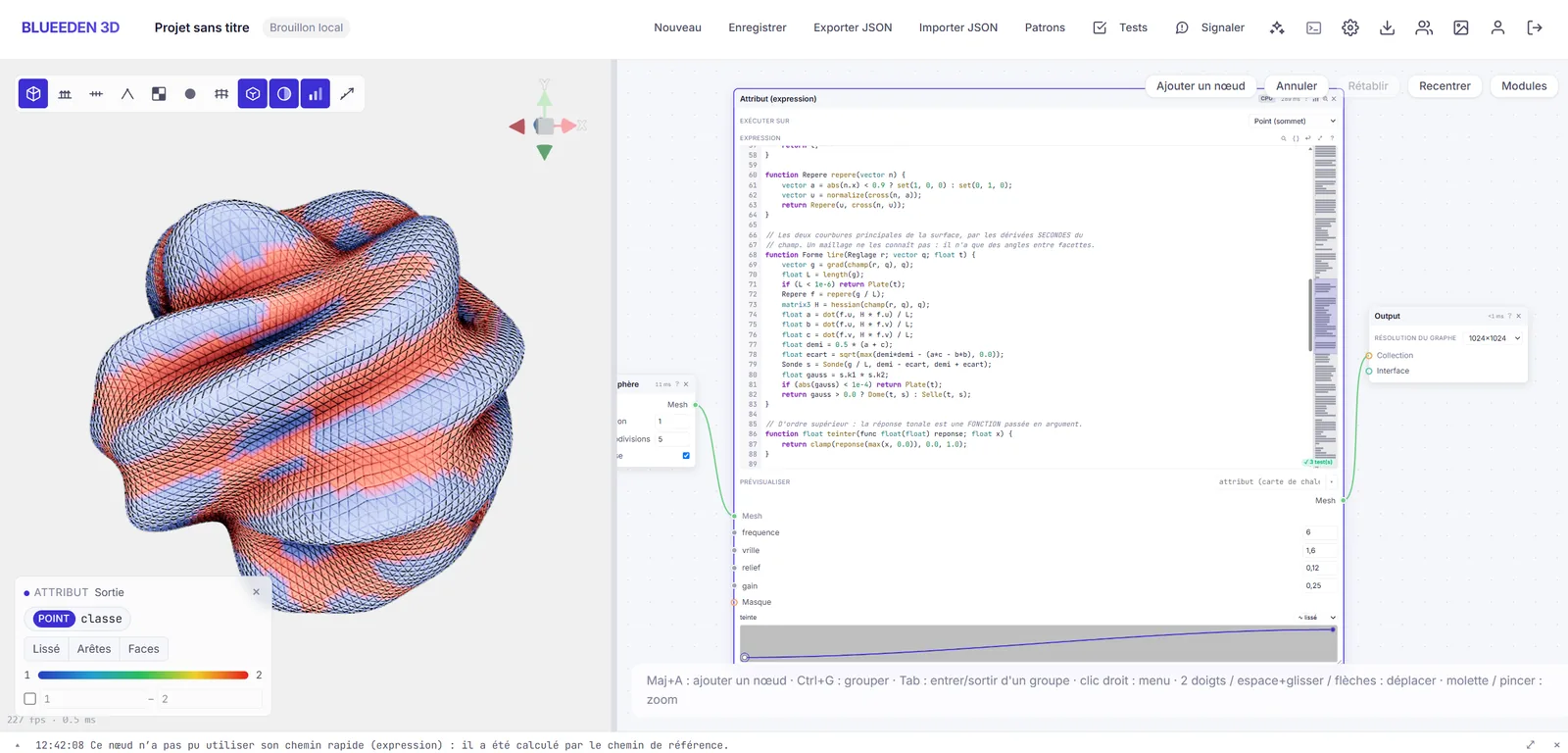
- @P · @N · @Cd
- pscale · orient
- point · vertex · prim · detail
- loops & functions
- dicts & strings
- neighbours
- shortest paths
- dense matrices · SVD
- WGSL on the GPU
Textures & shaders
Textures and shaders, in the same graph
Geometry, its textures and its shader are built in one place. Change the shape and the bakes and masks follow; change a color and the material updates without leaving the graph.
GPU textures
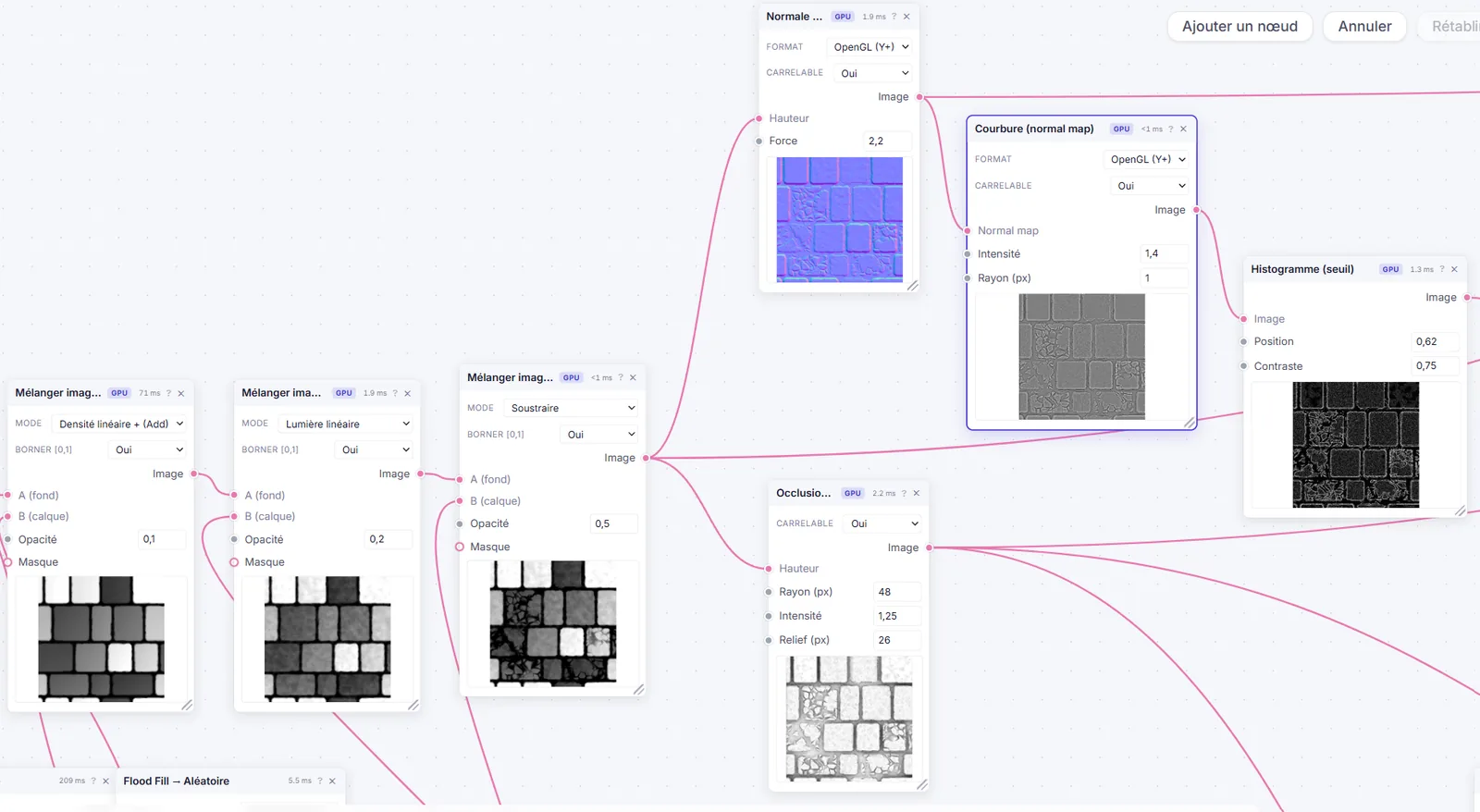
Ninety image nodes computed in WebGPU: noises, tilings, wear, flood fill, curvature, normals, histograms. Textures tile by construction, and mesh-to-texture bakes (AO, thickness, normals) come out of the geometry graph.
Shaders
The shading graph exposes what a modern engine expects: clearcoat, iridescence, anisotropy, transmission, sheen, subsurface. The viewport actually renders them, soft shadows and procedural sky included.
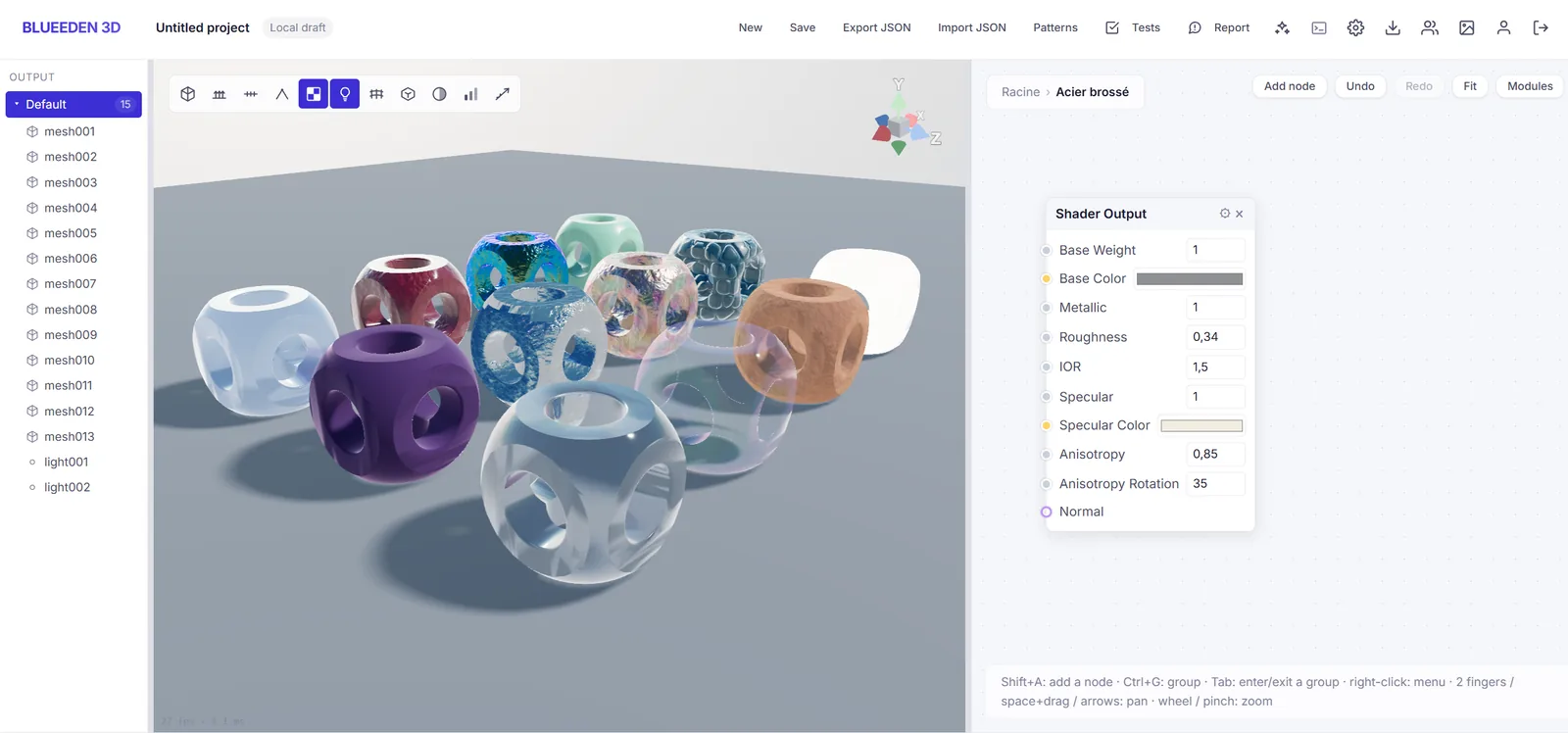
True to the browser in Unity
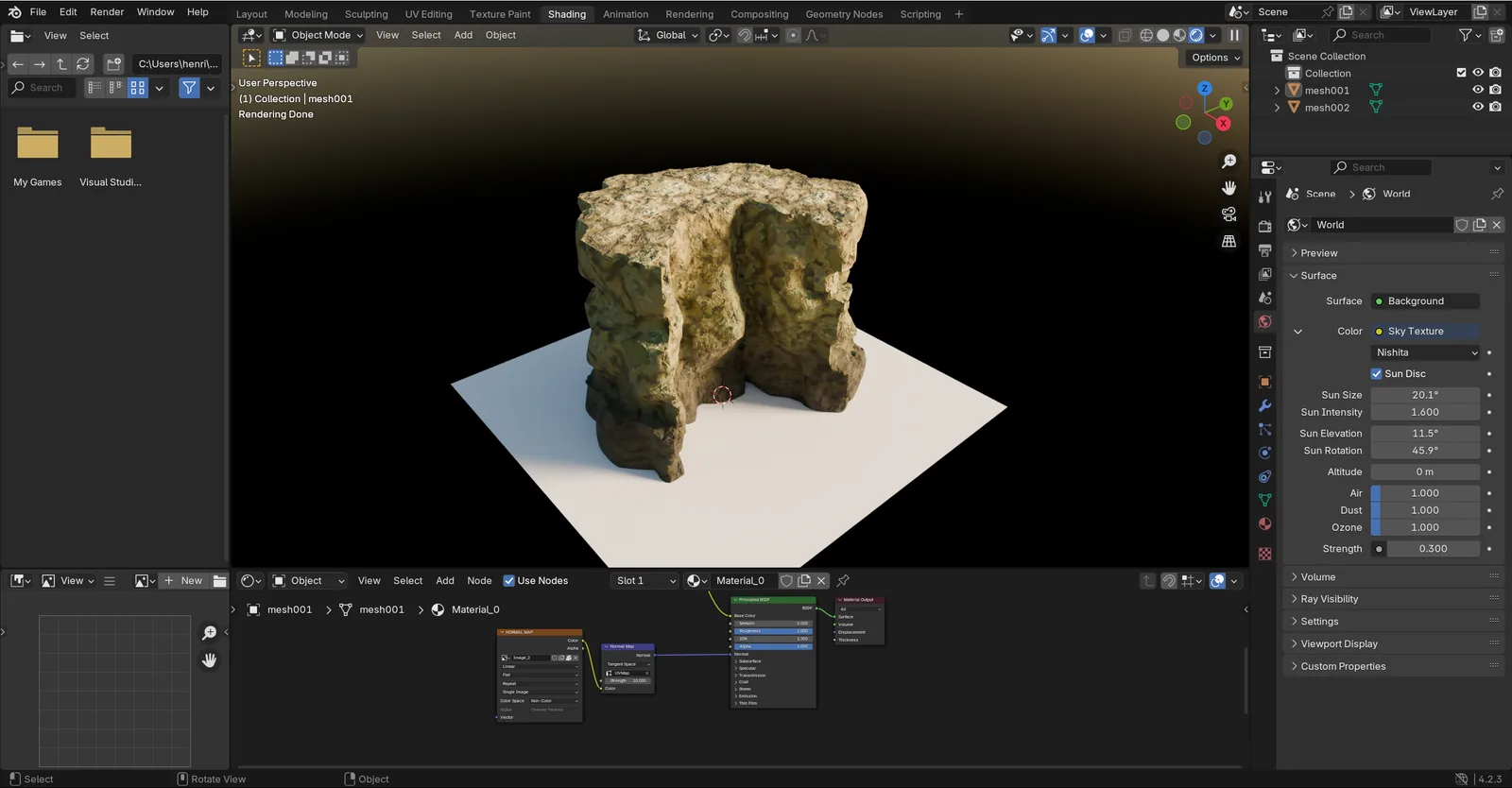
The shader is emitted from one model, as WGSL for the browser and HLSL for Unity, and materials land under the active pipeline's names: Built-in, URP or HDRP. Maps regenerate at runtime on the same kernels as in WebGPU, ported to wgpu. The shader's structure is frozen at build time, for every form the asset's controls can reach.
Interface
Controls on any graph
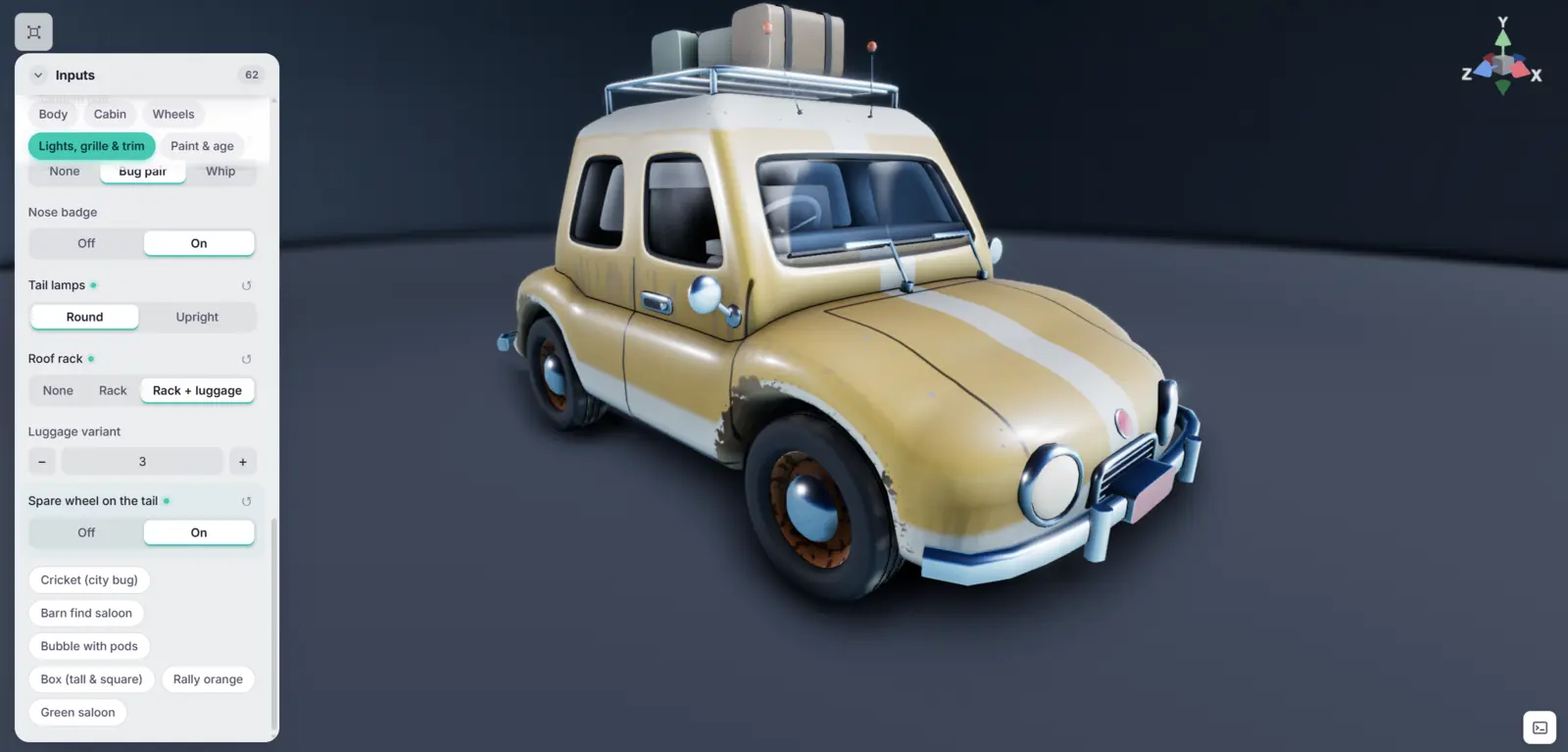
An Input node pulls a value out of the graph and into a panel; handle nodes put the matching gizmo in the 3D view, and presets save sets of values. Publish the graph and it opens from a link, panel and handles included, with no account and no editor.
Value types
floatintvector3boolcolorenumtextcurvegradientlist
Handles, 14 kinds including
pointlinearangleboxrecton-curverange
Graphs
Each with its own logic
Each clip is a complete graph with its own logic, driven through its controls and handles. They all come from the same node library.
A curve on the ground, landings or winders, a solid or vaulted mass.
Eleven species, daisy to fern; seed and Wildness vary every plant.
Tower, wings and roofs are drawn as curves in the 3D view, then you fly around the house.
An outline on the ground; the cliff rises and scree piles up at its foot.
Concrete or stone, cube or cylinder: one slider takes the block from fresh to chipped.
Unity
Same asset, now in Unity
The Unity package loads the graph into a component. The Inspector shows the asset's presets and sliders, the Scene view its handles; move one and the scene regenerates. The native core runs in the editor and in the shipped build, on Built-in, URP or HDRP, on Windows, Linux and macOS.
The package is in closed testing and isn't shipped to beta testers yet.
Physics
And when it breaks?
TesselBee fractures a mesh into Voronoi cells, or along its material: concrete, glass, stone, wood, metal. A play mode then lets you strike, throw, grab or blast the pieces, with the force set in newton-seconds.
Play mode is still team-only. The fracture nodes are in the library today, and USD export already carries the rigid bodies and their joints.
Export
USD, glTF, MaterialX
Results ship as USD (USDZ, USDC or USDA) or glTF/GLB, with materials, instances, lights and cameras; USD also carries rigid bodies and their joints. Materials go out as MaterialX, volumes as VDB, textures as PNG.
Export
- USDZ
- USDC
- USDA
- GLB
- glTF
- MaterialX
- VDB
- PNG
Import
- OBJ
- STL
- PLY
- glTF · GLB
- LAS
- SVG
- Images
- CSV
Demo
Play with a published asset
This masonry path is a TesselBee graph published as a shared link. Drag the curve points, switch the bond and the border, tighten the joints: the paving redraws on every move. Try it yourself, no account needed.
Open the assetYou need a browser with WebGPU; recent versions of the major browsers have it.
Who it's for
Who turns the knobs
Tech artists
Write the procedure once, sliders and guard rails included. The rest of the team uses it without ever opening the graph.
Game studios
With the Unity package, the asset lands in the engine with its controls. Ten variants of a car are ten components wired to one graph.
Clients and art directors
A link is all it takes to adjust the thing yourself. No account, no license.
FAQ
Things people ask us
Do my projects stay private?
Yes. Your graphs are visible to you alone; nothing goes public without a share link you create yourself.
Can I take my work with me?
Any time: glTF/GLB and USD export, with materials, instances, lights and cameras. Files you import stay yours.
What does it run on?
Any browser that exposes WebGPU, nothing to install: recent Chrome, Edge or Opera, Safari 26 and up, Firefox 141 and up on Windows. The line under the demo tells you whether yours is ready.
Do I need a beefy machine?
A decent GPU helps, since this is real compute. The scenes on this page run fine on a recent laptop, and shared graphs open even on phones (tested on an old Pixel 4).
Do I need an invite?
Not from October 19, when TesselBee goes into public beta and sign-up opens to everyone.
TesselBee is in public beta
Sign up without an invite. Leave your email to follow where the project goes.
Only TesselBee news, each with an unsubscribe link. We never sell your address.